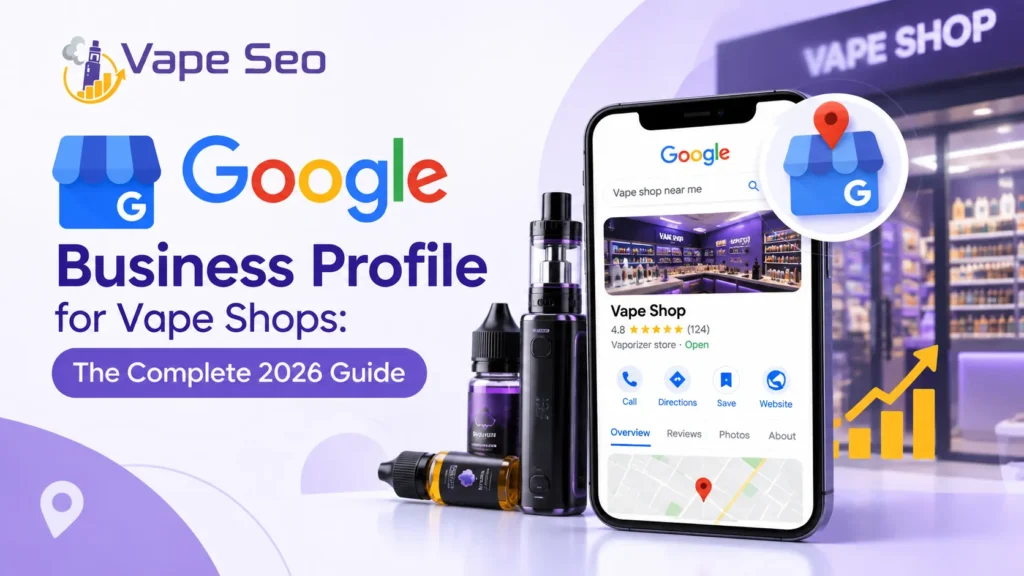
Running a vape shop is not easy. You deal with strict rules, changing laws, and tough competition. On top of that, you need customers to actually find your store. This is where Google Business Profile comes in.
A Google Business Profile (GBP) is a free tool from Google. It helps your vape shop show up when people search “vape shop near me” or “best vape store in [city].” If you set it up right, you can get more calls, more visits, and more sales.
In this guide, we will explain everything you need to know about Google Business Profile for vape shops. We will keep it simple and easy to follow.
What Is Google Business Profile?
Google Business Profile is a free listing that appears on Google Search and Google Maps. When someone searches for a vape shop, your profile can show up with your name, address, phone number, hours, photos, and reviews.
This listing is different from your website. It is a snapshot of your business that people see right away, before they even click on anything. For local businesses like vape shops, this snapshot often decides whether a customer walks through your door or goes to a competitor instead.
Why Vape Shops Need Google Business Profile
Vape shops face unique challenges. Many ad platforms limit or ban vape-related ads. Facebook and Google Ads often restrict this type of content. This makes free tools like Google Business Profile even more valuable.
Here are the main reasons your vape shop needs a strong profile:
- It helps local customers find you fast
- It builds trust through reviews and photos
- It shows your store hours, so people know when to visit
- It gives directions straight to your door
- It costs nothing to set up and maintain
Since paid advertising is tricky for vape products, a well-optimized Google Business Profile becomes one of your best marketing tools.
How to Set Up Google Business Profile for a Vape Shop
Setting up your profile is simple. Follow these steps carefully.
Step 1: Create or Claim Your Listing
Go to the Google Business Profile website and sign in with a Google account. Search for your business name. If it already exists, claim it. If not, create a new listing.
Step 2: Choose the Right Business Category
Category selection matters a lot. Pick “Vape Shop” as your main category if it is available in your area. If not, “Tobacco Shop” or “Electronics Store” may work as a backup, depending on local rules. Choosing the wrong category can hurt your visibility in local search results.
Step 3: Add Accurate Business Information
Fill in every detail correctly:
- Business name (exactly as it appears on your storefront)
- Full address
- Phone number
- Website link
- Business hours, including holiday hours
Small mistakes here can confuse customers and hurt your ranking.
Step 4: Verify Your Business
Google will ask you to verify your business. This is usually done by mail, phone, or email. Verification proves that your shop is real and located where you say it is.
Optimizing Your Google Business Profile for Better Rankings
Just setting up a profile is not enough. You need to optimize it so it ranks higher and attracts more customers.
Write a Clear, Keyword-Rich Description
Your business description should explain what you sell and where you are located. Mention terms like “vape shop,” “e-liquids,” “disposable vapes,” or “vape accessories” naturally. Avoid keyword stuffing. Write for humans first, search engines second.
Add High-Quality Photos
Photos build trust. Upload clear images of your storefront, product shelves, and staff. Shops with more photos usually get more clicks and calls than shops with few or no images. Update your photos regularly to keep your listing fresh.
List Your Products and Services
Google Business Profile lets you add a list of products. Use this feature to showcase your best-selling items, such as e-liquids, mods, coils, and starter kits. This helps customers understand what you offer before they even visit.
Use Google Posts
Google Posts work like small updates or announcements. You can share new arrivals, promotions, or store news. Regular posts signal to Google that your business is active, which can help your ranking.
Set Accurate Hours and Attributes
Make sure your hours are always correct, especially during holidays. Add attributes like “wheelchair accessible” or “in-store shopping” if they apply. Accurate details reduce confusion and improve customer experience.
The Power of Customer Reviews
Reviews are one of the strongest ranking factors for local search. They also influence buying decisions directly.
Why Reviews Matter So Much
Most customers read reviews before visiting a new store. Positive reviews build trust, while a pattern of negative reviews can drive customers away, even if your prices and products are great.
How to Get More Reviews
- Ask happy customers politely after a purchase
- Add a review link to your receipts or website
- Train staff to remind customers naturally
- Never buy fake reviews, since this can get your profile suspended
How to Respond to Reviews
Always reply to reviews, both positive and negative. Thank customers for positive feedback. For negative reviews, stay calm and professional. Offer to solve the problem privately if needed. This shows future customers that you care about service.
Common Mistakes Vape Shop Owners Make
Many vape shop owners lose potential customers because of avoidable mistakes. Watch out for these:
- Wrong category selection, which limits how you show up in search
- Inconsistent business information across different platforms
- Ignoring reviews, both good and bad
- Using stock photos instead of real store images
- Forgetting to update hours during holidays or special events
- Violating Google’s content policies by adding restricted claims about health benefits
Avoiding these mistakes keeps your profile healthy and helps you avoid suspension.
Staying Compliant with Google’s Policies
Vape products are a sensitive category for Google. Some regions restrict how these businesses can be listed or promoted. Before setting up your profile, check your local laws and Google’s business guidelines for tobacco and vape-related products. Staying compliant protects your listing from being removed or suspended.
Tracking Your Google Business Profile Performance
Google Business Profile gives you insights into how customers find and interact with your listing. You can see:
- How many people viewed your profile
- How many clicked for directions
- How many called your store directly
- Which search terms brought people to your listing
Reviewing these numbers regularly helps you understand what is working and what needs improvement.
Final Thoughts
A well-optimized Google Business Profile can make a real difference for vape shops. It helps you appear in local searches, build trust through reviews, and connect with nearby customers, all without spending money on ads. Take the time to fill out every section, keep your information accurate, and stay active with photos and posts. Over time, this free tool can become one of your strongest sources of foot traffic and sales.
Frequently Asked Questions
Is Google Business Profile free for vape shops?
Yes, Google Business Profile is completely free to set up and use for any business, including vape shops.
Can vape shops run Google Ads along with their profile?
Google restricts most ads related to vape and tobacco products, so a strong, organic Google Business Profile is often the safer and more reliable option.
How long does it take to verify a Google Business Profile?
Verification usually takes a few days to two weeks, depending on the method Google uses, such as mail, phone, or email.
What category should I choose if “Vape Shop” is not available?
Try similar categories like “Tobacco Shop” or “Electronics Store,” depending on what best matches your products and local guidelines.
Can negative reviews get my vape shop listing removed?
Negative reviews alone do not get a listing removed. However, policy violations, fake reviews, or repeated guideline breaches can lead to suspension.